Gemini Spark vs Amazon Quick vs OpenClaw in 2026
Three companies. Three very different bets on what an AI agent should be.
Google announced Gemini Spark at I/O 2026. Amazon launched Quick about a month before that. And OpenClaw, the open-source project that blew up to 100,000 GitHub stars in February 2026, is already running on developer machines all over the world. All three call themselves AI agents. All three promise to handle tasks for you without constant babysitting. But under the hood, they make totally different choices about where they run, who they trust, and what kind of user they actually serve.
If you are trying to figure out which one belongs in your workflow, or just trying to make sense of what each one is, here is the honest breakdown.
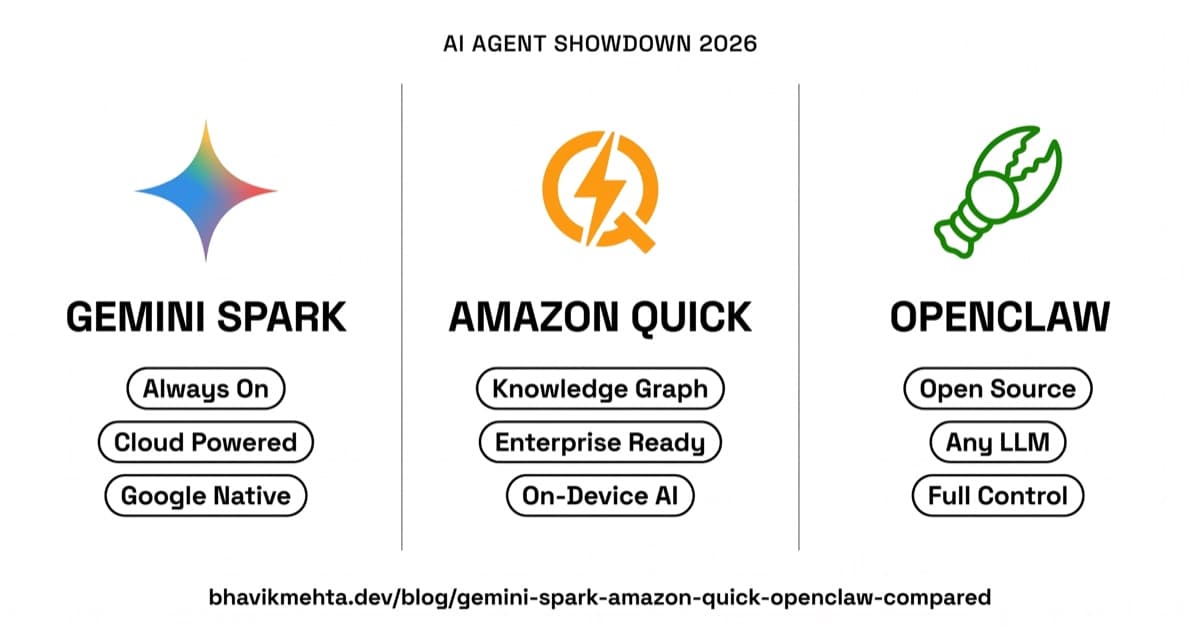
Full Comparison at a Glance
Here is everything covered in this post condensed into one place. Use this as your quick reference when making the call.
| Gemini Spark | Amazon Quick | OpenClaw | |
|---|---|---|---|
| Where it runs | Google Cloud | Desktop + Cloud | Your machine only |
| Always on when device off | Yes | No | No |
| Best for | Consumers | Enterprise teams | Developers |
| Price | $249.99/mo (AI Ultra) | AWS subscription | Free |
| Model options | Gemini only | AWS Bedrock models | Any LLM |
| Privacy | Fully cloud | On-device + cloud | Fully local |
| Setup time | Minutes | Hours | Half a day |
| Key strength | Cloud persistence | Personal knowledge graph | Full control + open source |
| Biggest risk | Sends emails you didn't review | Surfaces stale context | Broad access = broad attack surface |
| Enterprise integrations | Growing (Google suite now, others summer 2026) | Strong from day one | Build it yourself |
| Time to value | Immediate | 2 to 3 weeks | Day one if you are technical |
| Locked to one provider | Yes (Google) | Partial (AWS Bedrock) | No |
Pick Gemini Spark if...
You live in Gmail and Google Drive, you want something that runs while you sleep, and $250/month is within reach. The setup is minimal. The cloud persistence is real. Just verify anything it sends before trusting it blindly.
Pick Amazon Quick if...
Your company runs on AWS and enterprise tools like Salesforce, Teams, or ServiceNow. The knowledge graph takes a few weeks to build but pays off significantly after that. Best value when adopted across a team.
Pick OpenClaw if...
You are a developer, you want to control which model runs, and you do not want to pay a subscription. You are willing to spend time on setup and security configuration. The flexibility ceiling is higher than the other two combined.
What Makes an AI Agent Different from a Chatbot
An AI agent is a system that can take a goal, break it into steps, use tools to complete those steps, and keep going without needing a human to push it forward at every stage. A chatbot responds to one message at a time and forgets everything when you close the tab. An agent holds context, queues work, and can pick up where it left off even hours later.
All three tools here cross that threshold. The difference is in how persistent they are, how much access they have to your data, and who controls the infrastructure they run on.
This matters more than it sounds. Giving an AI agent access to your email and calendar is not the same as asking a chatbot a question. The agent can actually send things, book things, and move files around. That is the power of it. It is also why the choice of which one you use is worth thinking through.
Gemini Spark: Google's Cloud-Powered Always-On Agent
Gemini Spark is probably the most ambitious of the three in terms of what it promises.
Announced at Google I/O 2026 and currently rolling out to Google AI Ultra subscribers in the US, Spark runs on dedicated Google Cloud virtual machines. That is the key thing about it: Spark does not stop when you close your laptop. You give it a task, it gets added to a queue, and it runs on Google's servers until it is done. Turn your phone off. Go to sleep. It keeps going.
Spark runs on Gemini 3.5 Flash and uses something Google calls the Antigravity 2.0 agent harness. The harness handles how the agent breaks tasks into steps, which tools it calls, and how it recovers when something goes wrong. You do not interact with the harness directly. What you see is a task list, a schedule, and a feed of completed and pending actions.
What Spark Can Actually Do
The native integrations cover the full Google suite: Gmail, Calendar, Drive, Docs, Sheets, Slides, YouTube, and Maps. Spark can draft and send emails, create calendar events with context pulled from your existing conversations, build presentations from notes you have scattered across Drive, and summarize documents you have not had time to read.
Third-party integrations at launch include Canva, OpenTable, and Instacart through MCP connections. Adobe, Spotify, GitHub, Notion, and Slack are confirmed for summer 2026. The roadmap is moving fast.
The cloud persistence is a real differentiator. No other mainstream AI agent in this comparison keeps working after you shut your laptop. If you set Spark on a research task at 10pm and go to sleep, it can have results waiting for you in the morning. That is genuinely new behavior for a consumer AI product.
Where Spark Falls Short
The biggest limitation right now is that Spark is a Google product designed for Google users. If your work primarily happens in Microsoft 365, Teams, or Salesforce, Spark is not going to help you much at launch. The third-party integrations are coming, but enterprise connectivity is still thin compared to what Amazon Quick already has.
There is also the privacy question. Every task you give Spark, every document it reads, every email it drafts runs on Google's infrastructure. For personal use that is probably acceptable. For anything sensitive at a company, your IT or legal team will have things to say.
Spark is also locked behind a paywall. Google AI Ultra costs $249.99 per month. That is not nothing, and it puts Spark firmly in the premium consumer tier rather than the general market.
Amazon Quick: The Enterprise-First Desktop Agent
Amazon Quick launched in April 2026 as a preview on macOS and Windows. It evolved from Amazon Q Business, which was already a tool aimed at enterprise customers. Quick takes that same idea and puts it in a desktop app that lives on your machine and learns your specific work context over time.
The core concept is a personal knowledge graph. As you use Quick, it builds a map of your work: your projects, your contacts, your ongoing tasks, and the relationships between them. Over time it knows that when you mention "the Henderson account," that connects to your Salesforce records, a Slack thread from last Tuesday, and three documents sitting in your Google Drive. You do not have to explain that context every time. It already knows.
What Quick Can Actually Do
Quick connects to local files on your computer and to enterprise apps: Google Workspace, Microsoft 365, Slack, Zoom, Salesforce, ServiceNow, Asana, and Jira. It shows up proactively before meetings with a briefing based on who you're meeting and what's in your files. It drafts email replies, creates dashboards, builds presentations, and can follow up on action items you set.
One thing worth pointing out is the on-device processing model. Quick uses your laptop's CPU, GPU, and NPU for pre-processing and orchestration. Not every query goes to the cloud. Simple lookups and context-building happen locally, which cuts down on latency and reduces how much data leaves your machine. This is a meaningful difference if you work in a company with strict data handling requirements.
Where Quick Falls Short
Quick is a B2B product with a B2B price. It is aimed at people whose companies are already paying for AWS. Individual developers or freelancers are not really the target audience, and that shows in how the product feels.
The knowledge graph concept is genuinely powerful, but it takes time to build. In the first few days, Quick does not know much about your work context. It gets better with usage, but you are investing time upfront before you see the full value. If you try it for three days and move on, you are leaving before the interesting part starts.
Quick also requires buying into the AWS ecosystem. If your company is not already there, the integration story gets complicated fast.
OpenClaw: The Open-Source Wildcard
OpenClaw is different from the other two in almost every way.
It started as Clawdbot, a project published in November 2025 by Austrian developer Peter Steinberger. After a couple of name changes forced by trademark issues and a rebranding, it became OpenClaw in late January 2026. By February 2026, the GitHub repo had cleared 100,000 stars. Steinberger then joined OpenAI, and a non-profit foundation was set up to take over long-term stewardship of the project.
The pitch is straightforward: an AI agent that runs on your own machine, connects to any LLM you want, and can take real actions on your computer. Browser control, file management, email, calendars, APIs, all through a local setup you control completely.
What OpenClaw Can Actually Do
OpenClaw ships with over 100 built-in skills covering a wide range of tasks. It can automate workflows, manage files, send emails, interact with browsers, and call external APIs. Because it runs locally, it can interact with your operating system in ways that cloud-based agents cannot. You can set it up to watch a folder, monitor a webpage, or trigger actions based on conditions you define yourself.
The model flexibility is a big deal for developers. You can run OpenClaw with any LLM that has an API. GPT-4o, Claude, Gemini, local models through Ollama, whatever you prefer. You are not locked into one provider or one pricing structure.
Because it is open source, you can read every line of code, modify its behavior, and build custom skills that no commercial product would ever ship. If you want an agent that does something specific to your workflow, you can build it.
For a deeper look at how agents like these are actually wired together, see What Is an AI Harness? The Layer That Makes Agents Work, which covers the loop, tools, and guardrails that underlie tools like this.
Where OpenClaw Falls Short
OpenClaw is a developer tool. If you want to use it well, you need to be comfortable setting up software, configuring API keys, and debugging things when they break. There is no polished onboarding experience. There is no customer support. When something goes wrong, you are reading GitHub issues and Stack Overflow threads.
The security model also requires a clear head. Because OpenClaw has access to your email, calendar, files, and messaging apps, a misconfigured setup is a real risk. Local control means local responsibility. That is the tradeoff.
OpenClaw also does not have the cloud persistence of Spark. Tasks run when your machine is running. Close your laptop and the agent stops.
The Failure Modes That Actually Matter
Every one of these tools has ways it can let you down that the announcements will not tell you.
Spark is the newest and most ambitious, which means it will also make the most mistakes. Agentic AI systems that take real actions on your behalf can send emails you did not mean to send, book meetings at the wrong time, or misunderstand a task in ways that are hard to undo. Spark is rolling out carefully for exactly this reason. If you are in the beta, treat it like an intern who is very capable but still needs you to verify anything consequential.
Quick's knowledge graph can build up wrong context. If your work changes significantly, the graph may surface outdated information as if it is current. The proactive briefing feature is great when it gets things right and confusing when it pulls in something that stopped being relevant three months ago. Enterprise IT departments will also need time to approve the on-device processing model for sensitive environments.
OpenClaw's biggest risk is the surface area of access it requires. The tool works by connecting to everything, and that is the whole point. But granting that access to any piece of software, even open-source software you have reviewed yourself, requires thinking through your security posture. A bad skill or a compromised dependency can do real damage. Know what you are installing.
Which One Should You Actually Use
If you are a regular person who lives inside Google's ecosystem, uses Gmail and Drive for everything, and wants an agent that just works without any setup, Spark is the obvious starting point. The cloud persistence is a genuine differentiator. No other mainstream agent in this comparison keeps running after you close your laptop.
If you work in a company that runs on AWS and enterprise tools, Quick is purpose-built for you. The knowledge graph gets genuinely useful after a few weeks of regular use. The proactive briefings before meetings are one of the more practically useful things any AI product has shipped in 2026. For more on how agentic AI fits into enterprise stacks, the projects section of this site shows some of the integrations I have built in this space.
If you are a developer who wants full control over what the agent does, which model it uses, and what code is running on your machine, OpenClaw is the only one that gives you that. The model flexibility, local processing, ability to write custom skills, and zero cost of entry make it the most powerful option for the right person. That person needs to be technical and security-conscious.
The honest answer is that "which AI agent should I use" is still the wrong question for most people in 2026. All three are early. All three will surprise you. The real question is whether you want to be surprised on Google's timeline, Amazon's timeline, or your own.
What Running These for a Month Actually Looks Like
Spark will be the most hands-off experience. You set a task, you check the results, and most of the time it will be fine. When it is not fine, you might find a confusing email in your sent folder. The cloud persistence means it works while you sleep, which sounds great until you wake up to a task it misunderstood.
Quick will feel slow and a little underwhelming at first. After two weeks of regular use, it starts to feel significantly more useful. After a month, the knowledge graph has enough context that the proactive suggestions start feeling uncanny in a good way. If your team adopts it together, the shared context features amplify that. If you are the only person in your company using it, you will see maybe half the potential value.
OpenClaw will feel powerful from day one if you are willing to invest a few hours on setup. The limitation hits when you need something not covered by the 100+ built-in skills, or when a third-party service changes its API and breaks an integration you depend on. Then you are back on GitHub, reading issues and possibly writing your own fix.
All three of these represent a real shift from what AI tools were doing 18 months ago. The chatbot era is genuinely winding down. The agent era has started. The question is not really whether to use one of these tools. It is which tradeoffs you can live with given how you actually work.
References
- Google introduces Gemini Spark, a 24/7 agentic assistant with Gmail integration, at IO 2026
- AWS launches Amazon Quick desktop AI assistant that works across your applications, tools, and data
- OpenClaw Explained: The Free AI Agent Tool Going Viral Already in 2026